SNAPDIM / COMING SOON
Keep the photo.
Keep the dimensions.
Plan a DIY project or keep a visual reference of an object’s size. Capture a planar surface on a LiDAR-capable iPhone, select a boundary and keep the dimensions in the picture.
Explore the workflowLiDAR iPhone · iOS 17+ · mm / cm / in / ft
From a photo to a useful reference
- Select an object’s boundary
- Refine and add dimensions
- Save, revisit and share
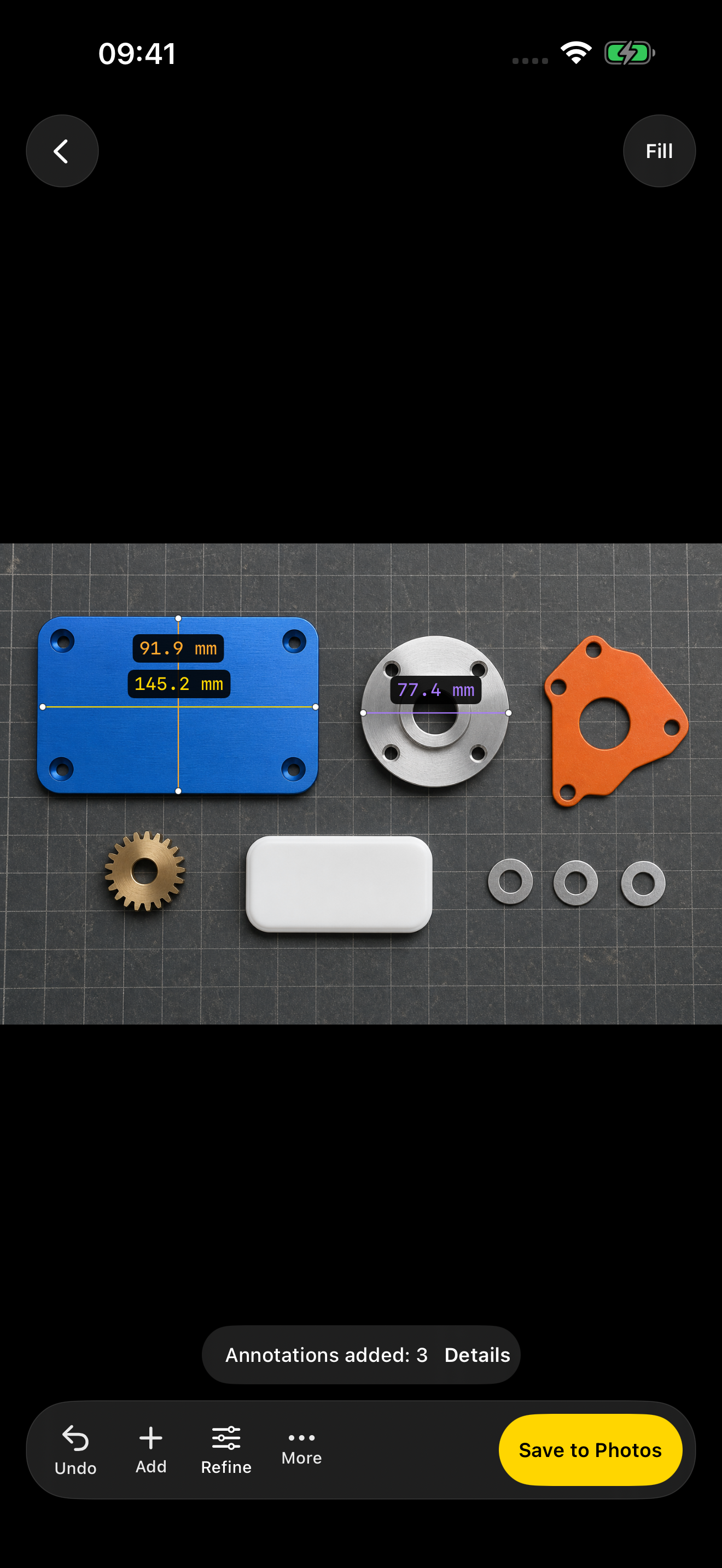
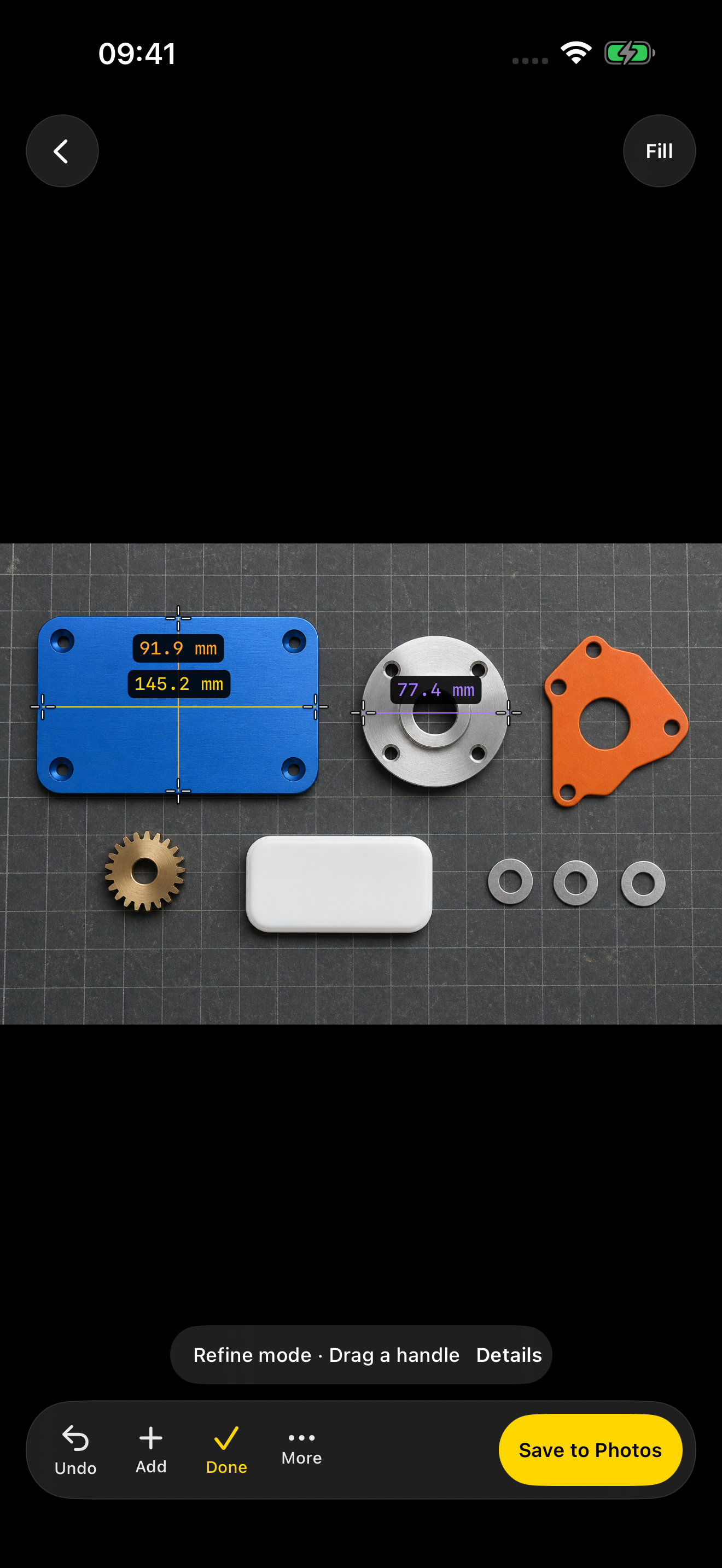
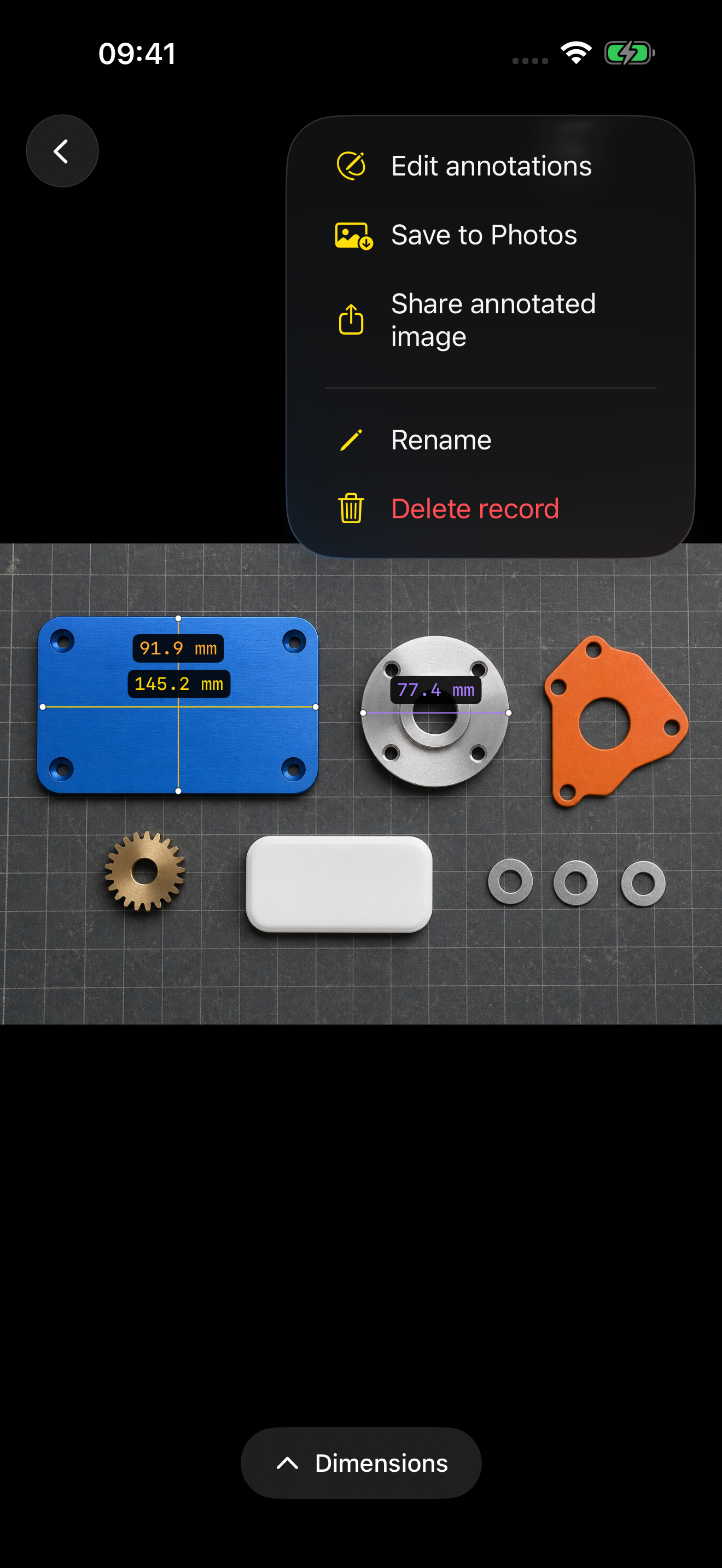
Actual app screens. Sample dimensions are illustrative.
Built for the way you measure
Display millimeters, centimeters, inches or decimal feet. The interface supports English, 简体中文, Deutsch, Français and 日本語.
Devices and measurement conditions
Requires iOS 17 or later and a LiDAR-capable iPhone. Each measurement needs usable depth data and endpoints on the same surface. Reflective or transparent materials, occlusion and camera pose can affect results. Check critical dimensions with a physical measuring tool. Imported-photo calibration is not included in this version.
Try it. Choose your access.
Explore the included sample for free. Real new captures require an annual subscription or one-time lifetime unlock, both with full measurement access. Eligible annual subscribers receive a 7-day free trial followed by automatic yearly renewal. Local prices and eligibility appear before purchase. Cancel renewal in Apple subscription settings at least 24 hours before the period ends. Lifetime access does not cancel an existing subscription. Saved records remain viewable, editable and exportable after expiry.
Your photos stay on your device
Photo recognition and measurement run on your iPhone. No app account is required. Apple and RevenueCat handle purchases and restoration.